How I Discovered Marvel Rivals' Hidden Allied Health Bars and Other Game-Changing Settings
Marvel Rivals Allied Health Bars settings let you track teammates' health in real time, so Vanguards and Duelists can peel and protect healers.
I've been playing Marvel Rivals since it launched in December 2024, and I thought I had a pretty good handle on its mechanics. I main Vanguard and occasionally flex to Strategist, so I'm always looking for ways to keep my team alive. But last week, while scrolling through Reddit, I stumbled on a post that made me realize I'd been missing something huge: Allied Health Bars. Apparently, this feature lets you see your teammates' health in real-time, and most players — including me — had no idea it existed. 🤯
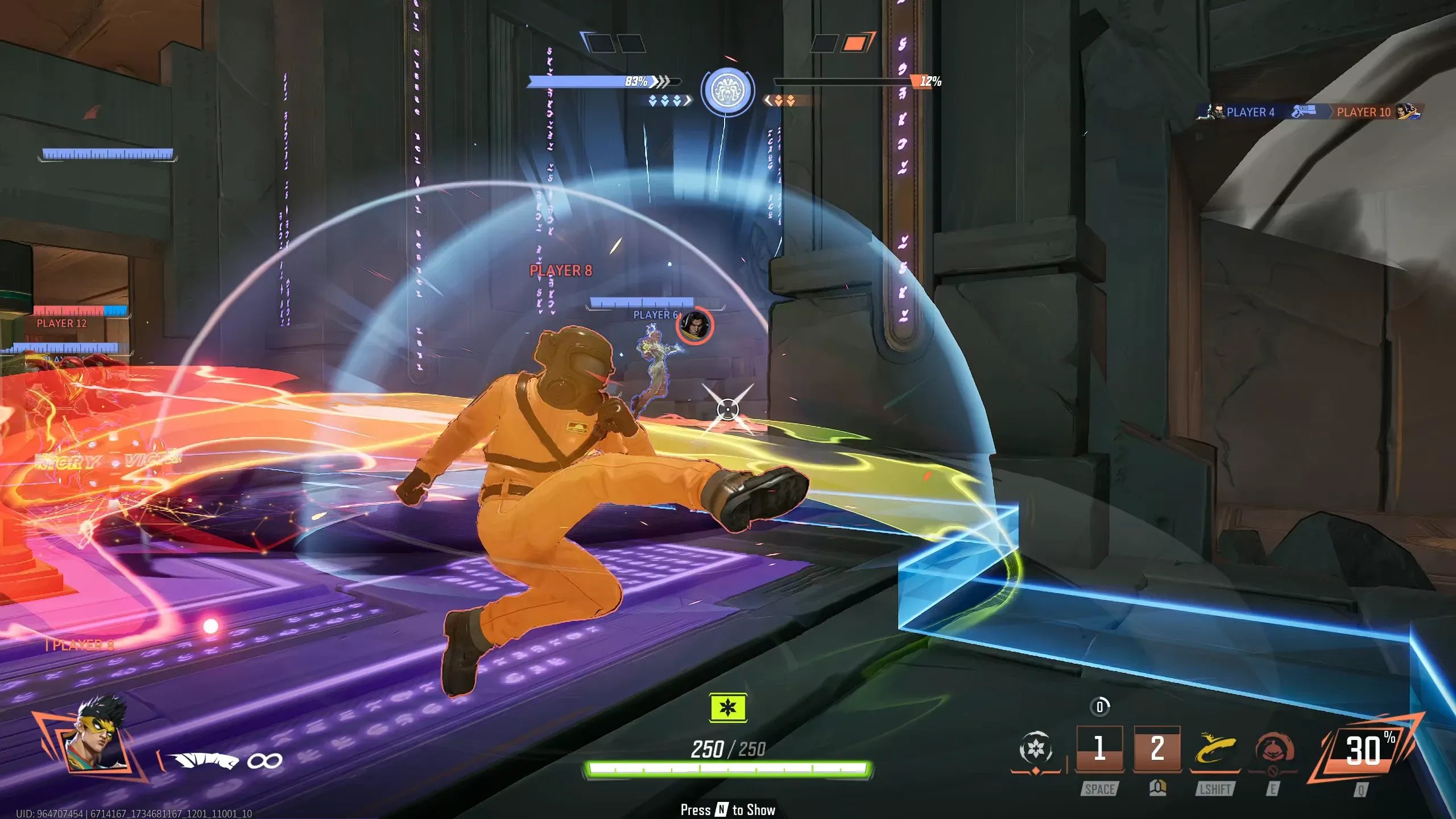
The Reddit thread was full of comments from players saying the same thing: they didn't know this was an option. And honestly, it's a game-changer. The Allied Health Bar feature displays your teammates' health bars directly on your screen, so you can see who's about to drop before the "CRITICAL!" notification even pops up. For Strategists, it's toggled on automatically — which makes sense, since healing is your job. But for Vanguards and Duelists, it's off by default. That means if you're playing Venom or Iron Man, you're missing out on crucial information that could help you protect your backline or decide when to peel for your healers.
I immediately went into the settings to turn it on for all my heroes. The path is simple: Settings → Keyboard → Combat → HERO tab, right below the HUD section where you adjust your reticle. You can toggle it per hero or use the "All Heroes" option. I chose the latter, and the difference in my gameplay was instant. Suddenly, I could see when my Strategist was getting dived by an Iron Fist before they even called for help. As a Vanguard, that split-second awareness let me pivot and body-block the incoming damage. One Reddit user, vburnin8tor, put it perfectly: "Knowing that your teammate are low on HP before the 'CRITICAL!' notification & confirming that you are actually healing makes your role so much easier." I couldn't agree more.

But Allied Health Bars aren't the only hidden gem in Marvel Rivals. The more I dug into the settings menu, the more I realized how many small features can make a big difference. For example, Venom has an option to make his swing easier to use by automatically targeting a "grabbable" area the player is looking at. That might sound minor, but for anyone who's fumbled a swing mid-fight, it's a lifesaver. Captain America has a setting that lets you always be running after hitting the shift key once on PC, rather than holding it down. That means you can keep your fingers free for other abilities while you charge into the opposition's backline. 🛡️
Here's a quick reference table for the settings I found most useful:
| Feature | How to Access | Who It Helps |
|---|---|---|
| Allied Health Bars | Settings → Keyboard → Combat → HERO tab | All roles, especially Vanguards and Duelists |
| Venom Swing Auto-Target | Settings → Keyboard → Combat → Venom-specific | Venom players |
| Captain America Run Toggle | Settings → Keyboard → Combat → Captain America-specific | Captain America players |
I've started recommending these tweaks to my friends, and a few of them have already noticed a difference in their win rate. It's funny how something as simple as seeing a health bar can change the way you approach a team fight. In Marvel Rivals, every advantage counts, and the ability to see your allies' health is just one of many built-in options that can help you play smarter. The game has been out for over a year now, and with each update, NetEase keeps adding more ways to customize your experience. But some of the most impactful features were there from the start — we just didn't know about them.
So if you're like me and you've been playing Marvel Rivals without Allied Health Bars, do yourself a favor and turn them on. Spend ten minutes exploring the settings menu — you might be surprised at what you find. Whether it's making Venom's swing more forgiving or keeping Captain America running without holding a key, these small adjustments can make a world of difference. And who knows? You might just save your healer's life. 🎮