
In the ever-evolving landscape of Marvel Rivals in 2026, where team compositions have become as intricate as a quantum chessboard and strategies shift faster than a Quicksilver sprint, one element remains the ultimate game-changer: communication. Good comms aren’t just helpful; they’re the lifeblood of any squad aiming to climb the competitive ladder. Think of a team without proper communication as a symphony orchestra where every musician is playing a different song—chaotic, ineffective, and destined for a swift defeat. This guide will break down everything from setting up your voice chat to mastering the art of the callout, ensuring your team’s coordination is as seamless as Doctor Strange’s sling-ring portals.
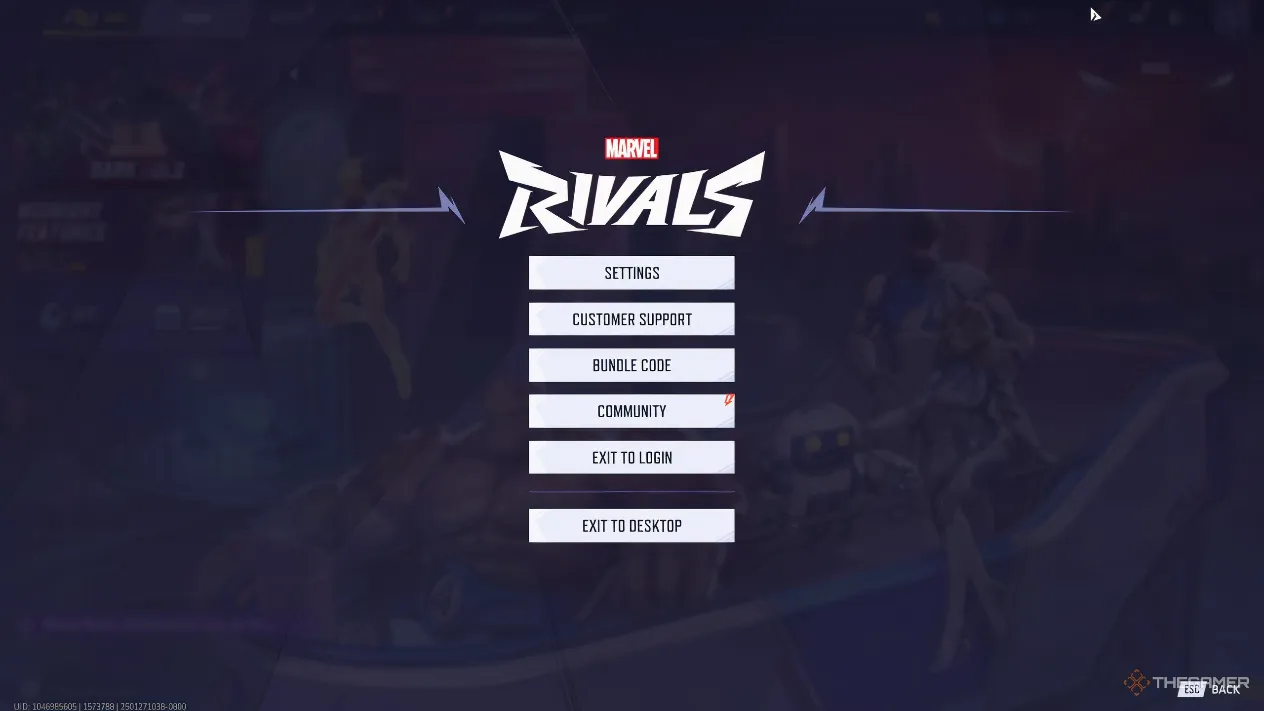
🎤 How To Set Up Your Communication Arsenal
Before you can start orchestrating epic team wipes, you need to make sure your tools are ready. The setup process is straightforward but crucial.
Activating Voice Chat:
From the main menu, navigate to Settings > Audio. Here’s your activation checklist:
-
Voice Chat: Toggle this to ON. This is your master switch.
-
Input Device: Select your microphone. This is your voice’s launchpad into the game.
-
Output Device: Choose where you want to hear your teammates. This is your command center’s speakers.
-
Voice Chat Mode: For most players, Open Mic is the recommended setting for fluid communication. However, if you’re in a noisy environment, Push-to-Talk can be your best friend, preventing your team from hearing your snack-crunching sessions.
Fine-Tuning Your Audio:
Don’t just turn it on and forget it! The audio menu also lets you adjust:
-
Master Volume: The overall game sound level.
-
Mic Volume: How loud you sound to others.
-
Voice Chat Volume: How loud your teammates sound to you. Finding the right balance here is key—you need to hear enemy footsteps, not just your teammate’s heavy breathing.
🎡 Mastering the Comms Wheel: Your Tactical Shortcut
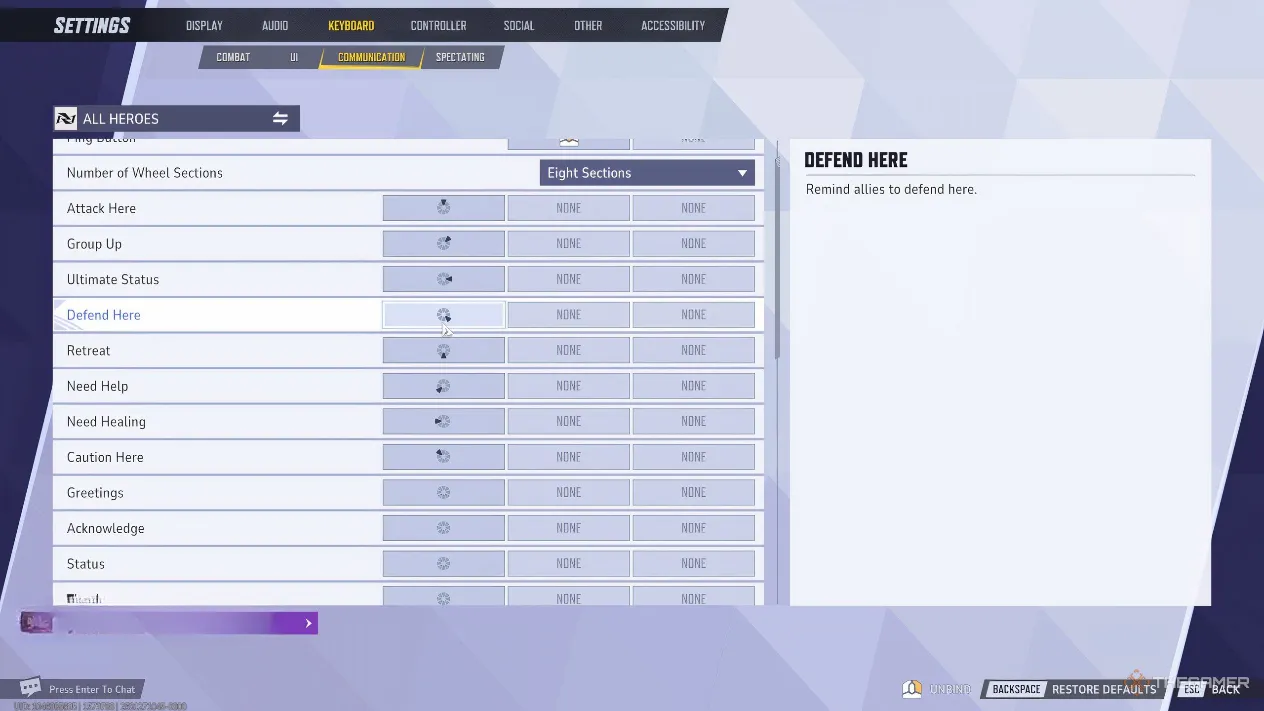
While voice chat is for complex strategies, the Comms Wheel is your tool for instant, clear, and silent commands. To customize it, head to Settings > Keyboard/Controller > Communication. Think of the Comms Wheel as your team’s secret handshake—a pre-arranged set of signals that conveys volumes in a split second.
Here’s a breakdown of essential commands and why they’re more valuable than vibranium in a fight:
| Comms Command | Primary Utility |
|---|---|
| Attack Here | Perfect for pinging a flank route or a vulnerable enemy position. |
| Group Up | The digital shepherd’s call to prevent your team from scattering like startled pigeons. |
| Ultimate Status | Crucial for coordinating game-changing combo ults (e.g., “My Graviton Surge is ready!”). |
| Defend Here | Plants a flag on the objective your team must hold. |
| Retreat | Saves lives by signaling a tactical withdrawal when the fight is lost. |
| Need Healing | Alerts your Strategists without clogging the voice channel with repeated pleas. |
| Caution Here | A silent alarm for enemy snipers or traps. |
| Acknowledge | A simple “Roger that” to confirm you’ve heard a plan. |
Pro Tip: Prioritize utilitarian commands over cosmetic ones like “Greetings” or “Thanks.” In the heat of a ranked match, efficiency is king. Saying “thanks” after a rez is nice, but staying alive to use the Comms Wheel for “Group Up” is better.
🔊 The Art of the Voice Callout
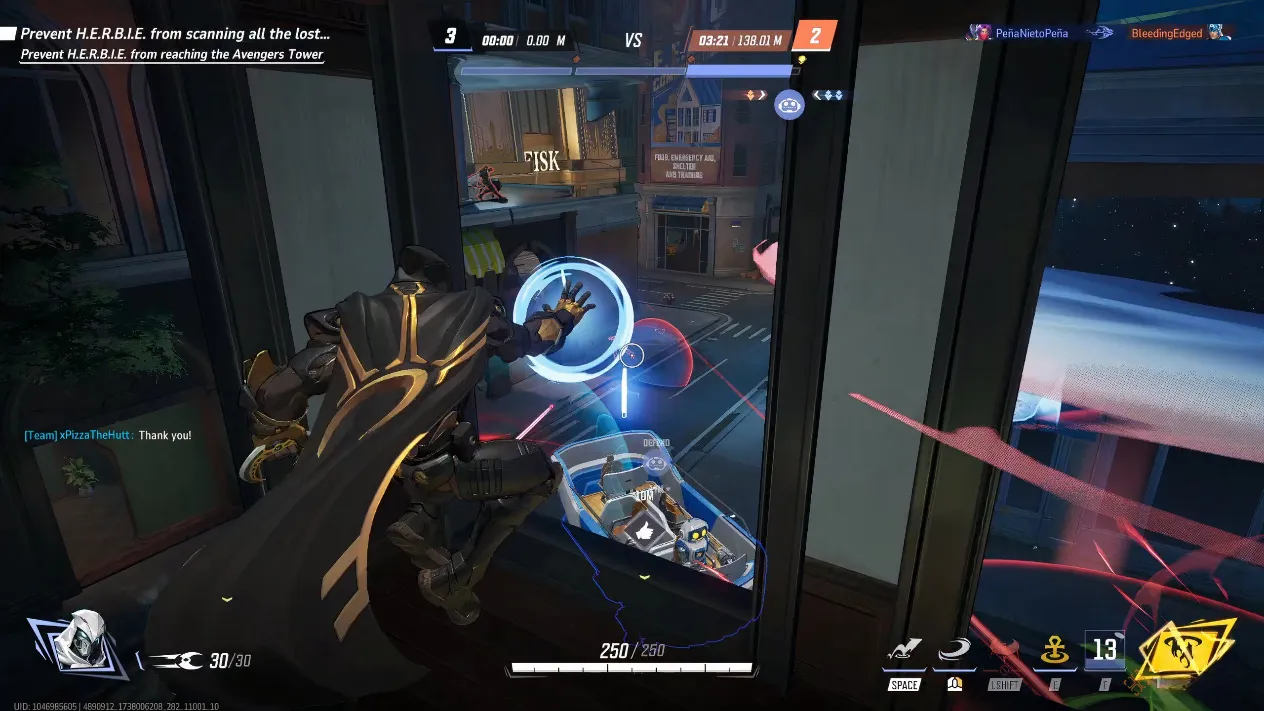
Voice chat is where you graduate from a player to a shot-caller. Its power lies in relaying complex, dynamic information that the Comms Wheel can’t handle. By default, you enter team voice chat at the start of each match. Use this power for:
-
Complex Strategy: “I’m placing a portal left side in 3…2…1… GO!”
-
Ultimate Combos: “My Storm ult is up next fight, save your Magneto pull for it.”
-
Flank Coordination: “I’m going high ground right side, pressure the front when I engage.”
Essential Callouts for 2026:
| Situation | What to Say | Why It Matters |
|---|---|---|
| Enemy Low Health | “Spider-Man one shot, top left!” | Focus fire to secure the elimination and create a 6v5 advantage. |
| Enemy Ultimate Ready | “Watch for Hulk’s Meteor Strike, it’s coming.” | Allows your team to spread out or save defensive cooldowns. |
| You Are Eliminated | “I’m down, play safe, it’s 5v6.” | Prevents your team from engaging a fight at a numbers disadvantage. |
| Lost Line of Sight | “I can’t see you for heals, fall back.” (Critical for Strategists) | Keeps your support-linked allies alive and in the fight. |
⚠️ Knowing When to Stay Silent
More comms isn’t always better. Poor communication can be as disorienting as a Loki illusion, scattering your team’s focus. Avoid these pitfalls:
-
Spamming: Repeatedly yelling “I NEED HEALING!” is like tapping your teammate on the shoulder during a free-throw—it breaks concentration. Use the Comms Wheel once and trust your support.
-
Over-narrating: Describing every minor action (“I’m walking here, now I’m jumping…”) creates audio clutter. Share only impactful information.
-
Post-Death Ranting: Criticizing a play after you’ve died is useless noise. Instead, use the respawn time to calmly plan the next engagement.
Remember: The in-game text chat exists, but trying to type while dodging repulsor blasts is about as practical as trying to solve a Rubik’s cube during a skydive. It’s not a viable tool for live strategy.
🏆 Synergizing Voice & Wheel: The Path to Victory
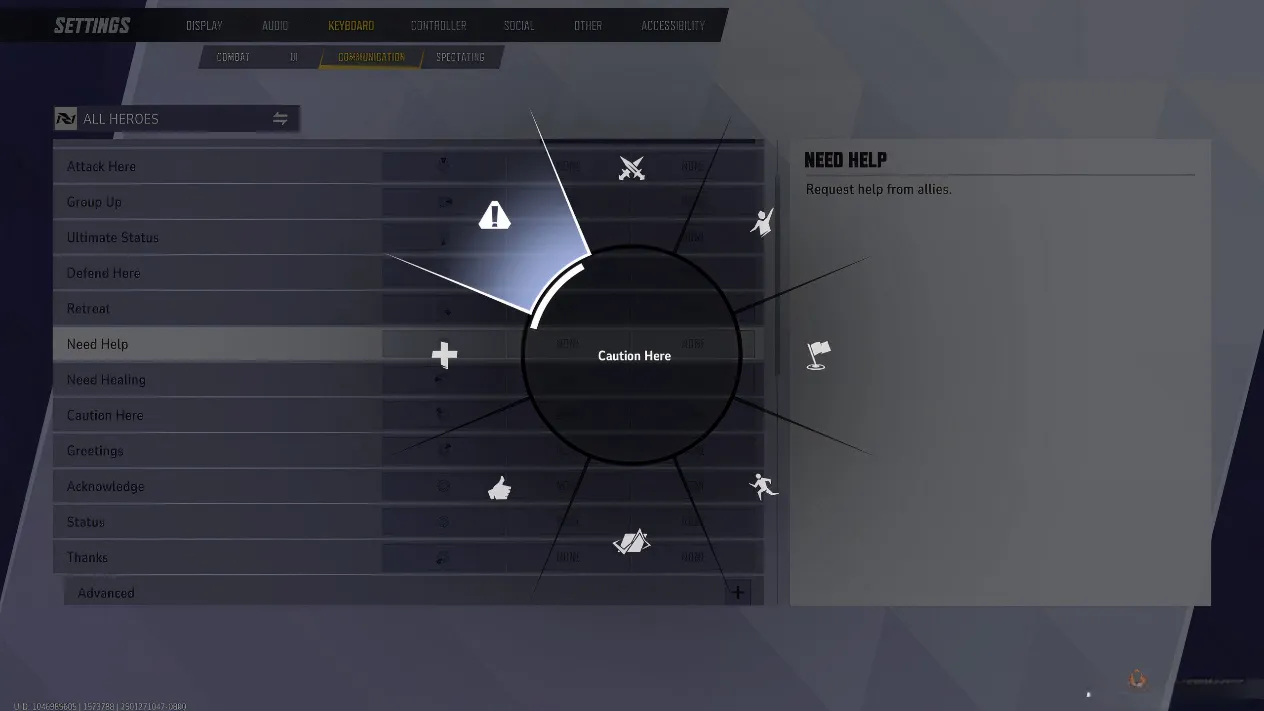
The true master of Marvel Rivals communication knows how to weave voice and the Comms Wheel together like the strands of the Web of Life. They complement each other.
Use Voice Chat For: The big picture, complex plans, and dynamic enemy status updates.
Use the Comms Wheel For: Quick, situational pings that don’t require explanation.
Perfect Combo Example:
-
Voice: “Their tank is out of position. Let’s focus him.”
-
Comms Wheel: Pings “Attack Here” on the isolated tank.
-
Voice: “Nice! Now push the objective.”
-
Comms Wheel: Pings “Group Up” on the payload.
This hybrid approach keeps communication clean, fast, and effective. Staying calm, clear, and concise with your comms will transform your team from a group of individuals into a coordinated unit sharper than Adamantium claws. In the competitive crucible of 2026’s Marvel Rivals, the best communicator isn’t always the player with the best aim—it’s the one who makes their entire team perform better. Now get out there, rally your heroes, and communicate your way to the top! 🚀